
Once the DTM has been corrected, SAGA GIS offers various tools for visualizing the runoff organization, mainly grouped together in Terrain Analysis, in the Channels and Hydrology menus. The Channel Network and Drainage Basins tool is particularly interesting, as it extracts the runoff axis network in a shapefile format, including the Strahler order as attribute.
Tools tab <> Terrain Analysis <> Channels <> Channel Network and Drainage Basins
Select the Grid System of the mnt_fill grid. Click on Elevation and load mnt_fill. The Threshold option defines the minimum Strahler order from which runoff axes are extracted. The default value is 5. In this example, we’ll use this value. Click on OK.
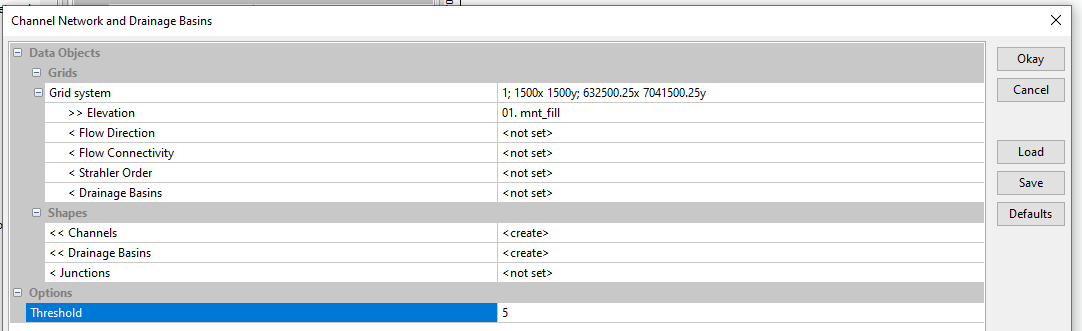
By default, the tool creates two shapefiles (Shapes) in the Data tab: Channels and Drainage Basins. Channels is classified as Line and corresponds to runoff axes. Drainage Basins is classified as Polygon and corresponds to the watershed extent.
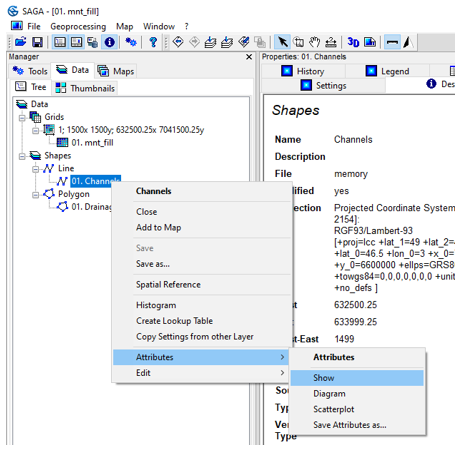
To view the Channels attribute table, right-click on Channels, Attributes, Show.
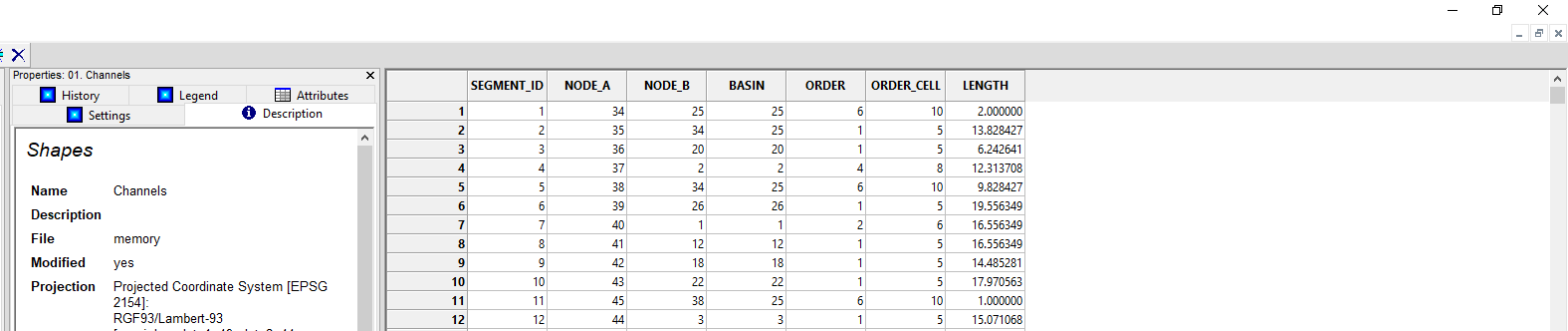
The Channels attribute table has 7 fields and two fields for Strahler order: ORDER and ORDER_CELL.
ORDER indicates the relative Strahler order from the threshold used (minimum 1) and ORDER_CELL indicates the absolute Strahler order (minimum 5 in our example, since the threshold 5 was used).
To close the attribute table, click on the Close button (X) in the top right-hand corner. To view Channels, right-click on Channels, Add to Map.
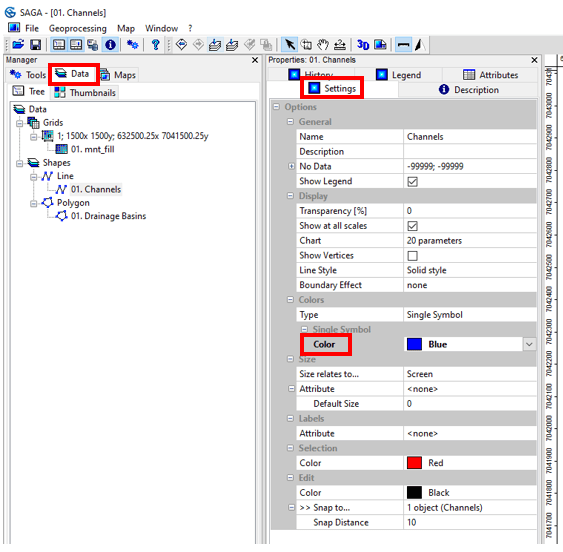
To change the Channels color, click on Channels, Settings tab, Color and choose Blue. Click on Apply at the bottom.
This visualization mode does not allow distinguishing the Strahler order of each runoff axis. One solution for better visualization is to assign the Strahler order to line thickness.
In the Size menu below Colors, on the Attribute line, choose the ORDER attribute. A line thickness range appears (between 0 and 10 by default). This range can be modified by clicking on the (+) in Size Range. For the example, we will leave the default values. Click on Apply.
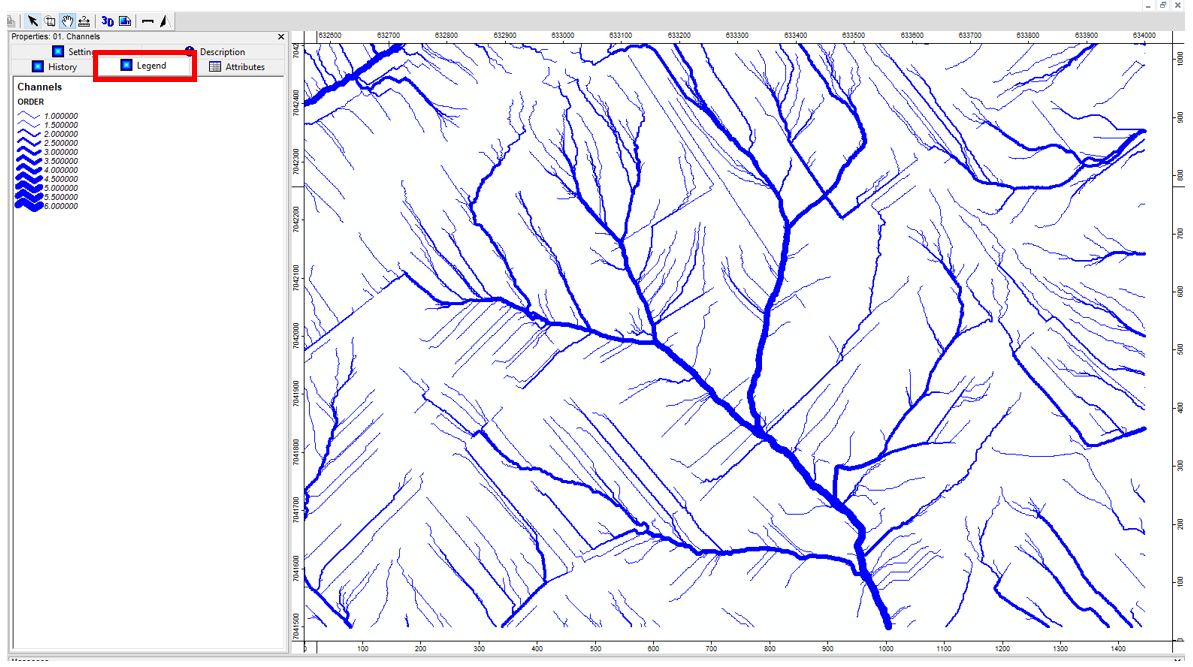
To view the Strahler order legend, click on the Legend tab. Save the Channels shapefile under the name axe_ruissellement_brut.
/TUTORIEL/PREPROCESSING/TOPOGRAPHIE/axe_ruissellement_brut.shp
 WaterSed